Meat Freshness Classifier
End-to-End Binary Deep Learning System for Food Safety: Fresh vs Spoiled
Tools & Technologies: Python 3.12, TensorFlow 2.21, Keras, ResNet50, MobileNetV2, EfficientNetB0, scikit-learn, Streamlit, Tkinter, Pillow, pandas, Git LFS
Status: Completed | Client: Mr. Benedict Ogazi
This application was built by Damilare Lekan Adekeye for Ms. Chinelotam Ogazi, a university student who owns this academic project work. The project was commissioned by her father, Mr. Benedict Ogazi. Damilare handled the full technical side: data pipeline, model training, evaluation, and deployment. Beyond building it, he also coached Ms. Chinelotam from the ground up, walking her through every step so that she fully understood the work and could speak to it confidently herself.
Project Overview
This is a complete, production-deployed deep learning system that classifies raw meat images as either Fresh or Spoiled: an end-to-end food safety application built for Mr. Benedict Ogazi as an academic deliverable. The project spans the full machine learning pipeline: from raw data collection and validation, through transfer-learning-based model training and rigorous multi-model evaluation, to deployment as a publicly accessible web application hosted on Streamlit Cloud and a complementary local desktop GUI built with Tkinter.
The central use case is food safety at the point of purchase or consumption. A consumer or retailer photographs a piece of raw meat and receives an instant AI verdict on whether the meat is safe to eat or has spoiled. The system is tuned to be highly sensitive to spoilage, minimising false negatives (classifying spoiled meat as fresh), because that specific error carries real health risk.
Problem Statement
Raw meat spoilage is detectable through visual cues: colour change from the bright red of oxymyoglobin in fresh meat to brown, grey, or green as spoilage bacteria oxidise the myoglobin; texture changes such as a slimy or collapsed surface; and mould growth. The goal of this project is to automate that detection using a convolutional neural network. While a trained human eye can identify these indicators, an AI-powered classifier makes the judgment instant, consistent, and accessible through any smartphone camera.
Two principal engineering challenges shaped every design decision:
- Colour as the primary diagnostic signal: Unlike most image classification tasks, the hue of the meat is the main evidence of spoilage. Any training technique that randomly shifts hue or saturation corrupts the training signal. It teaches the model that brown meat is Fresh and red meat is Spoiled, the exact opposite of biological reality. This "Color Trap" is explained in full detail in a dedicated section below.
- Class imbalance: The raw dataset has approximately 762 Fresh images and 1,154 Spoiled images in training (~1.51× more Spoiled). A naive model will learn to predict "Spoiled" by default and still achieve misleadingly high raw accuracy. This was countered with inverse-frequency class weights during training, not by discarding data.
Dataset
The dataset originates from a Roboflow-hosted collection that originally provided three classes: Fresh, Half-Fresh, and Spoiled. During data preparation, all Half-Fresh images were merged into the Spoiled class. The reasoning is strictly food safety: both Half-Fresh and Spoiled meat is unsafe to eat, and presenting a three-class output ("Half-Fresh") would introduce ambiguity. What should a user do with that result? The binary output (Fresh / Spoiled) is unambiguous and actionable.
Labels are stored in _classes.csv files with one-hot encoding
(Fresh,Spoiled). Four additional real-world images were manually added to the training
set during development to improve robustness on edge cases.
| Split | Fresh | Spoiled (incl. merged Half-Fresh) | Total |
|---|---|---|---|
| Train | 762 | 1,154 | 1,916 |
| Validation | 178 | 273 | 451 |
| Holdout (unseen) | 32 | 14 | 46 |
The Spoiled-to-Fresh imbalance (~1.51×) was addressed by computing inverse-frequency class weights for training:
- Fresh weight ≈ 1.515: underrepresented class, receives higher penalty
- Spoiled weight ≈ 1.0: majority class, baseline penalty
The "Color Trap": Why Standard Augmentation Would Break This Model
In most image classification tasks (object recognition, faces, scenes), colour is not the primary discriminating feature. A dog is still a dog regardless of whether the image is warmer or cooler. For those domains, randomly shifting hue, saturation, and brightness during training is a highly effective regularisation technique that teaches the model colour-invariance.
Meat freshness classification is the opposite. The biological markers of spoilage are colour-first:
- Fresh meat: bright oxymyoglobin red
- Early spoilage: brown metmyoglobin (oxidised)
- Advanced spoilage: grey, then green from bacterial metabolites and mould pigments
If a random hue shift rotates a bright red fresh steak to brown-grey during training, the training label remains "Fresh", and the model learns that brown meat is Fresh. If a spoiled grey image is shifted to red, the model learns red means Spoiled. Both outcomes destroy the biological signal entirely.
Augmentation policy implemented:
| Augmentation | Applied? | Value / Range | Reason |
|---|---|---|---|
| Random horizontal flip | ✓ Yes | 50% probability | Meat orientation is arbitrary |
| Random vertical flip | ✓ Yes | 50% probability | Rotation invariance |
| Random 90° rotation | ✓ Yes | 0°, 90°, 180°, 270° | Camera held at any angle |
| Random zoom (crop + resize) | ✓ Yes | 90–100% scale | Handles varying capture distances |
| Random brightness | ✓ Yes | max delta ±10% | Different lighting conditions |
| Random contrast | ✓ Yes | factor 0.90–1.10 | Different lighting conditions |
| Hue shift | ✗ No | — | Would corrupt spoilage colour signal |
| Saturation shift | ✗ No | — | Would corrupt vibrancy of meat colour |
| Heavy colour jitter | ✗ No | — | Same as above |
All augmentations are applied only to training data using fixed SEED = 42 inside a
tf.data pipeline for GPU-accelerated preprocessing. The validation set receives
no augmentation: only ImageNet normalisation.
Model Architecture & Training Pipeline
Transfer Learning Strategy
Three CNN architectures were trained and evaluated, all using feature-extraction-style transfer learning: the pre-trained ImageNet base is frozen (weights not updated), and only a custom classification head is trained. This is the correct approach for a dataset of ~1,916 training images. Fine-tuning a frozen base on small data risks overfitting, while the ImageNet-learned feature space (edges, textures, colour gradients) translates directly to the meat classification task.
pooling = "avg" → Global Average Pooling
Training Configuration
| Parameter | Value | Rationale |
|---|---|---|
| Optimizer | Adam, lr = 1×10⁻⁴ | Low LR avoids destabilising frozen ImageNet features in the head |
| Loss function | SparseCategoricalCrossentropy | Labels are integers (0=Fresh, 1=Spoiled), no one-hot needed |
| Batch size | 32 | Standard for transfer learning classification head training |
| Max epochs | 30 | Hard cap; early stopping terminates well before this in practice |
| Early stopping patience | 5 epochs (monitor: val_loss) | Prevents overfitting; restores best weights on stop |
| Class weights | Fresh ≈ 1.515 / Spoiled ≈ 1.0 | Inverse-frequency compensation for the ~1.51× Spoiled majority |
| Input size | 224 × 224 px | Standard ImageNet input size for all three architectures |
| ImageNet normalisation | preprocess_input(img × 255.0) |
Channel-wise mean subtraction matching ImageNet pre-training statistics |
| Checkpoint format | .keras (TF 2.12+ native) |
Preferred over HDF5; required by Streamlit Cloud (TF 2.21+) |
| Model storage | Git LFS (ResNet50 ≈ 90–100 MB) | GitHub 100 MB file limit enforced, LFS mandatory for large weights |
Preprocessing & Inference Pipeline
Training-time and inference-time preprocessing are kept strictly identical: both
call the same preprocess_image() function from phase2_training.py. The
Streamlit app composites transparent images onto white before passing them to inference, then
delegates everything to phase3_inference.predict().
# Shared preprocessing — used identically at training and inference time
def preprocess_image(path: str) -> tf.Tensor:
    """Decode, resize, and normalise an image for all three model architectures."""
    img_bytes = tf.io.read_file(path)
    img = tf.io.decode_image(img_bytes, channels=3, expand_animations=False)
    img = tf.image.resize(img, [IMAGE_SIZE, IMAGE_SIZE])
    img = tf.cast(img, tf.float32) / 255.0           # normalise to [0, 1]
    img = imagenet_utils.preprocess_input(img * 255.0) # ImageNet channel stats
    return img


# Streamlit app — RGBA/transparency handling before inference
def _prepare_pil_for_inference(pil_image: Image.Image) -> str:
    """Composite transparent images onto white and save as temp JPEG."""
    if pil_image.mode in ("RGBA", "P", "PA", "LA"):
        background = Image.new("RGB", pil_image.size, (255, 255, 255))
        background.paste(pil_image, mask=pil_image.split()[-1])
        pil_image = background
    pil_image = pil_image.convert("RGB")
    tmp = tempfile.NamedTemporaryFile(suffix=".jpg", delete=False)
    pil_image.save(tmp.name, "JPEG", quality=95)
    return tmp.name
Model Comparison & Selection
All three architectures were trained under identical conditions. The primary selection criterion is macro-average F1 (equal weight to both classes), not raw accuracy, because Spoiled Recall is safety-critical: a false negative (calling Spoiled meat "Fresh") is a health hazard. The model with the highest macro F1 and the fewest dangerous Spoiled-as-Fresh errors wins.
| Model | Params | Val Accuracy | Macro F1 | ROC-AUC | Spoiled→Fresh (false negatives) |
|---|---|---|---|---|---|
| MobileNetV2 | ~2.2M | 86.25% | 0.855 | 0.945 | 28 errors |
| EfficientNetB0 | ~4.0M | 96.23% | 0.960 | 0.993 | 5 errors |
| ResNet50 Selected | ~23.5M | 99.33% | 0.993 | 0.9998 | 3 errors |
Per-Class Metrics: ResNet50 (Selected)
| Class | Precision | Recall | F1-Score | Support |
|---|---|---|---|---|
| Fresh | 0.983 | 1.000 | 0.992 | 178 |
| Spoiled | 1.000 | 0.989 | 0.994 | 273 |
Why ResNet50 over EfficientNetB0?
EfficientNetB0 scored 96.23% accuracy and 0.960 macro F1, genuinely competitive performance. However, it still produced 5 dangerous Spoiled-as-Fresh errors, and its ROC-AUC of 0.993 falls short of ResNet50's near-perfect 0.9998. ResNet50's skip connections (residual shortcuts) preserve low-level colour and texture features from early layers all the way through to the classification head. This is precisely the kind of feature that meat freshness detection requires. EfficientNetB0 uses compound scaling (width + depth + resolution) which is optimised for general-purpose efficiency, not for the specific texture-and-colour-sensitive signals of this task.
Holdout Evaluation: Real-World Generalisation
46 images were manually curated from sources completely independent of the Roboflow training dataset. They span multiple meat types (beef, pork, poultry), variable lighting, packaging conditions, and image qualities. The ResNet50 model (trained and validated only on the Roboflow data) was tested against these 46 images with no retraining.
| Predicted: Fresh | Predicted: Spoiled | |
|---|---|---|
| True: Fresh (32) | 32 | 0 |
| True: Spoiled (14) | 0 | 14 |
Deployment
Streamlit Web App (app.py): Live on Streamlit Cloud
The primary deployment is a Streamlit web application accessible from any browser on desktop or mobile. The live URL is chinelo-meat-spoilage.streamlit.app. The app structure:
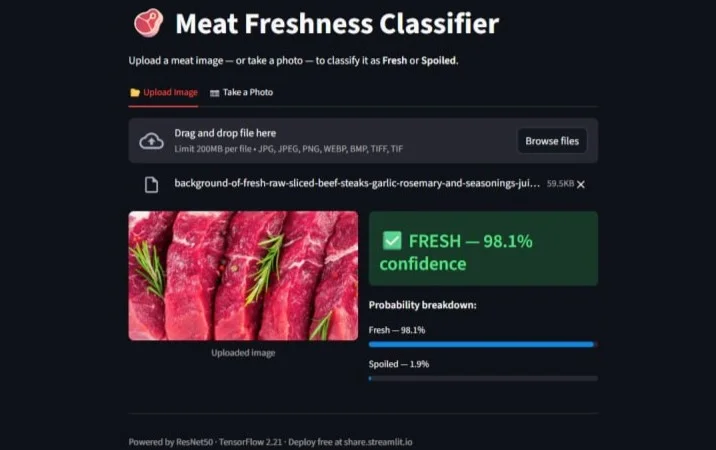
- Upload Image tab: Accepts JPG, JPEG, PNG, WEBP, BMP, TIFF, TIF up to 200 MB. Displays the uploaded image on the left, classification verdict and probability breakdown bars on the right.
-
Take a Photo tab: Uses Streamlit's
st.camera_inputto access the device camera directly in-browser, no OpenCV or native library required. Works on laptop webcams and phone cameras. -
Result display: Green banner (
FRESH — X.X% confidence) or red banner (SPOILED — X.X% confidence), with separate probability bars for both classes. -
Model caching:
@st.cache_resourceloads the ~90 MB ResNet50 model once per session. Subsequent classifications are near-instant.
The app delegates all inference to phase3_inference.predict(), which uses the same
preprocess_image() function as training. Transparent image handling (RGBA → white
background compositing) is applied before inference. Temporary JPEG files are cleaned up in a
finally block guaranteeing no file leaks.
Streamlit Cloud supports Git LFS: the ResNet50 .keras weights file
(tracked via .gitattributes: *.keras filter=lfs) is fetched from LFS storage at
deployment time. The repo only needs to contain app.py,
requirements.txt, runtime.txt (Python 3.12 pin), the shared inference
modules, and the LFS-tracked model checkpoint.
Tkinter Desktop App (app_desktop.py), offline
A fully offline desktop GUI built with Python's built-in tkinter library. It provides
the same classification functionality without any internet connection:
- Dark theme matching VS Code's colour scheme
- Upload Image: Opens a file picker for any supported format (JPEG, PNG, WEBP, AVIF, BMP, TIFF)
- Capture from Camera: Live OpenCV webcam preview window. Press SPACE to capture, ESC to cancel. If
opencv-pythonis not installed, the button shows an install prompt rather than crashing. - Lazy model loading on first classification, which keeps the app window responsive on startup
- Probability bars rendered as
tkinter.Canvashorizontal fill indicators
App Screenshots: Live Results
The following screenshots were captured directly from the deployed Streamlit application across a variety of real-world meat images.
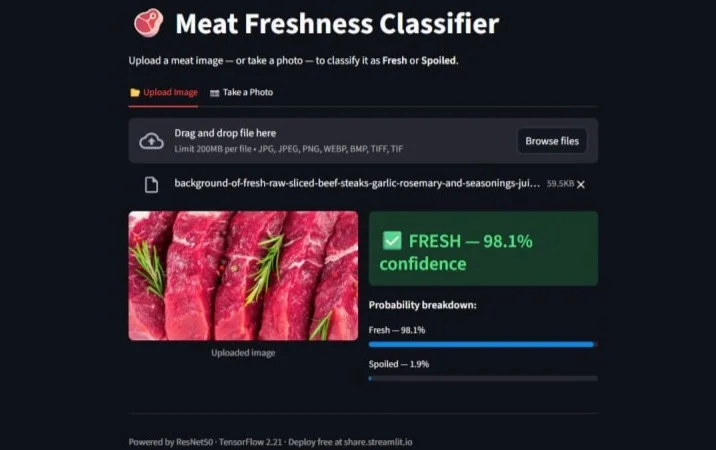
Fresh, 98.1% confidence | Sliced beef steaks
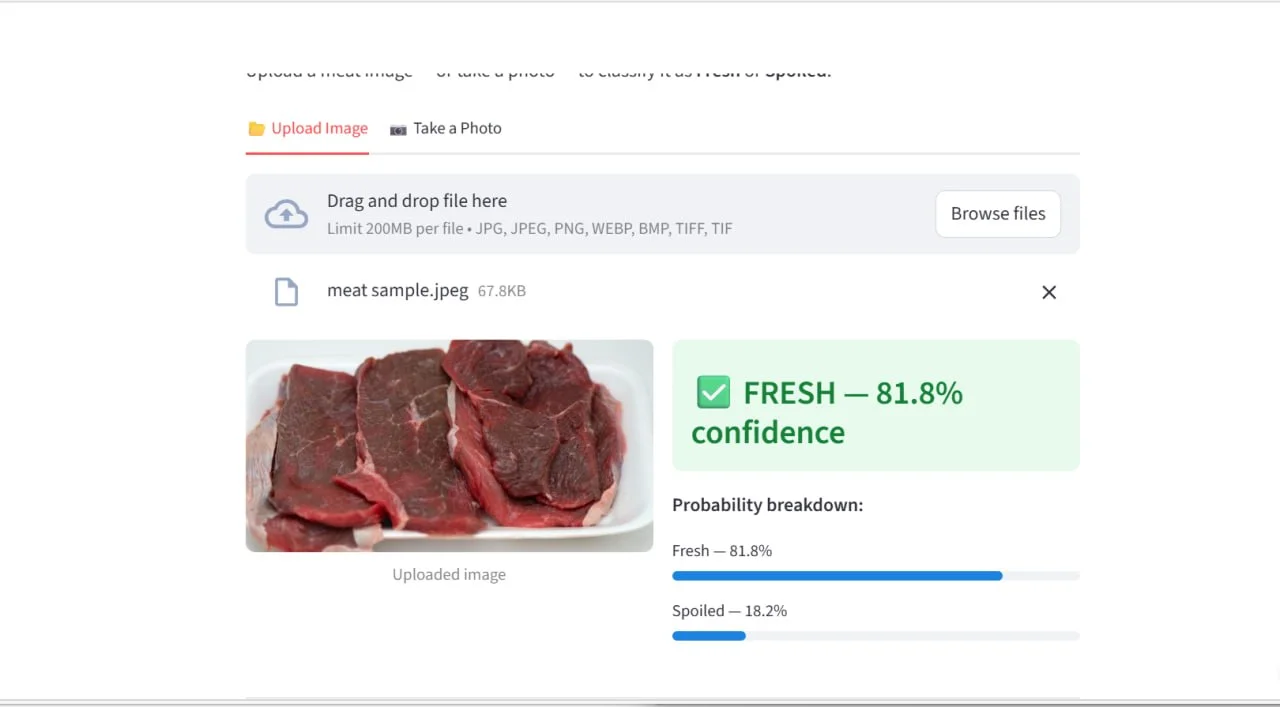
Fresh, 81.8% confidence | Dark-red beef slices
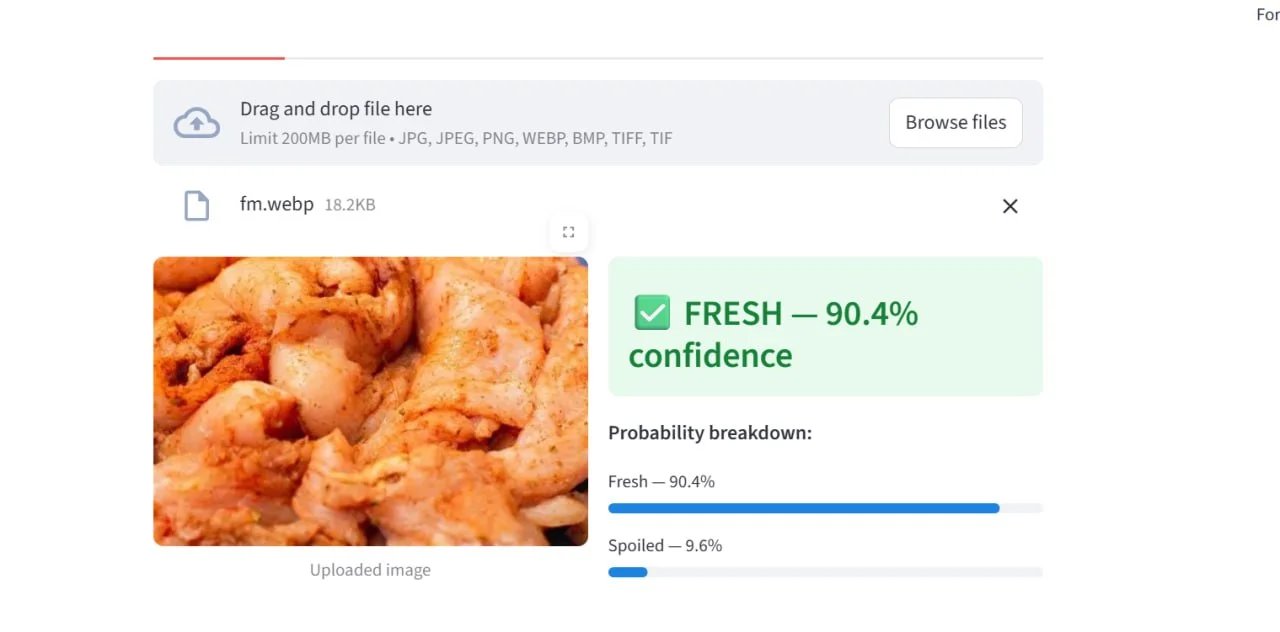
Fresh, 90.4% confidence | Seasoned chicken pieces
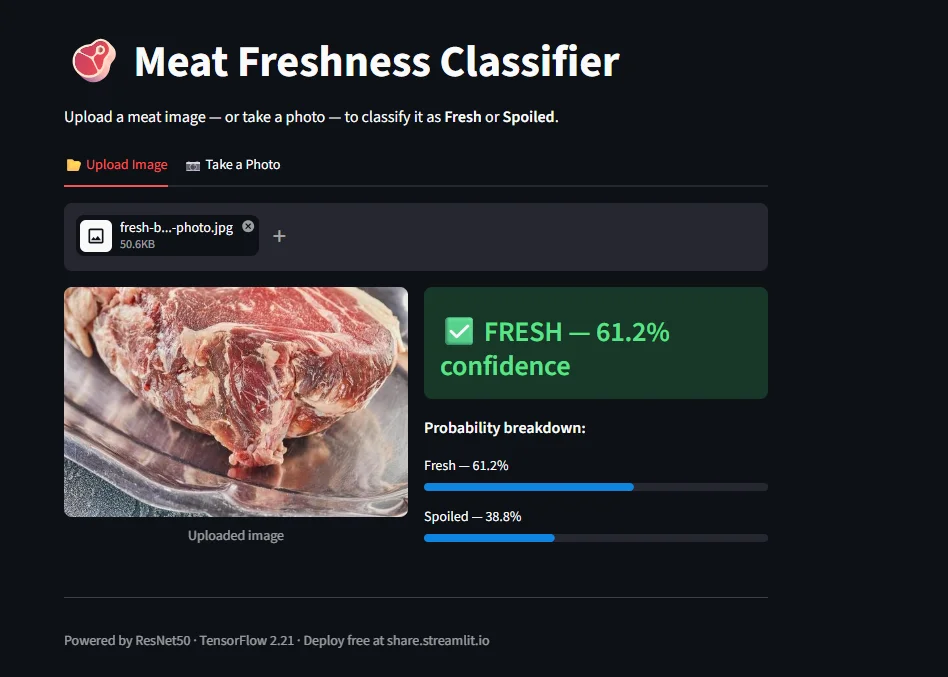
Fresh, 61.2% confidence | Beef cut on tray
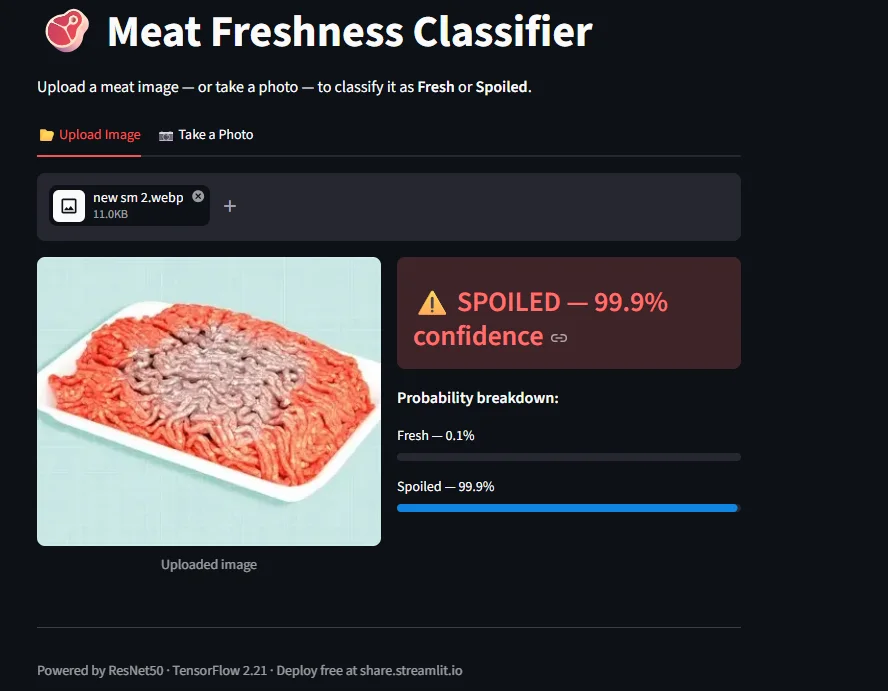
Spoiled, 99.9% confidence | Ground beef
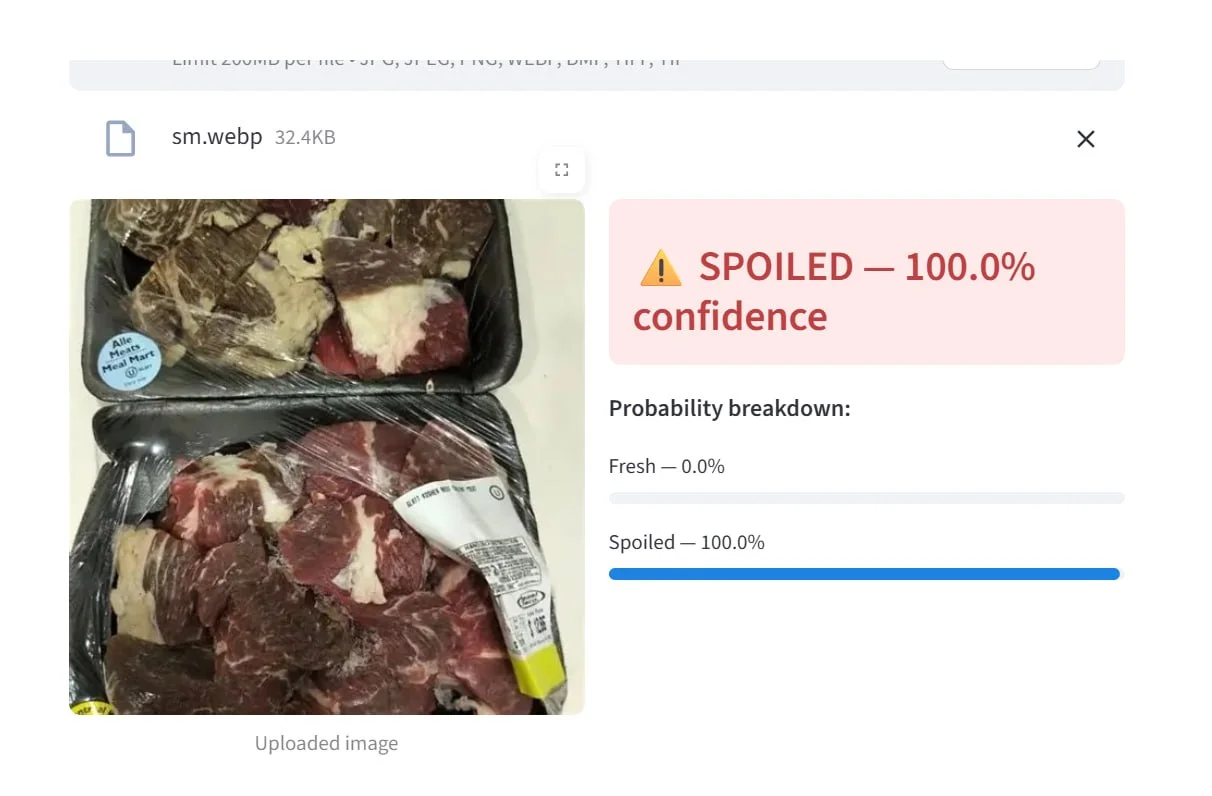
Spoiled, 100.0% confidence | Discoloured packed cuts
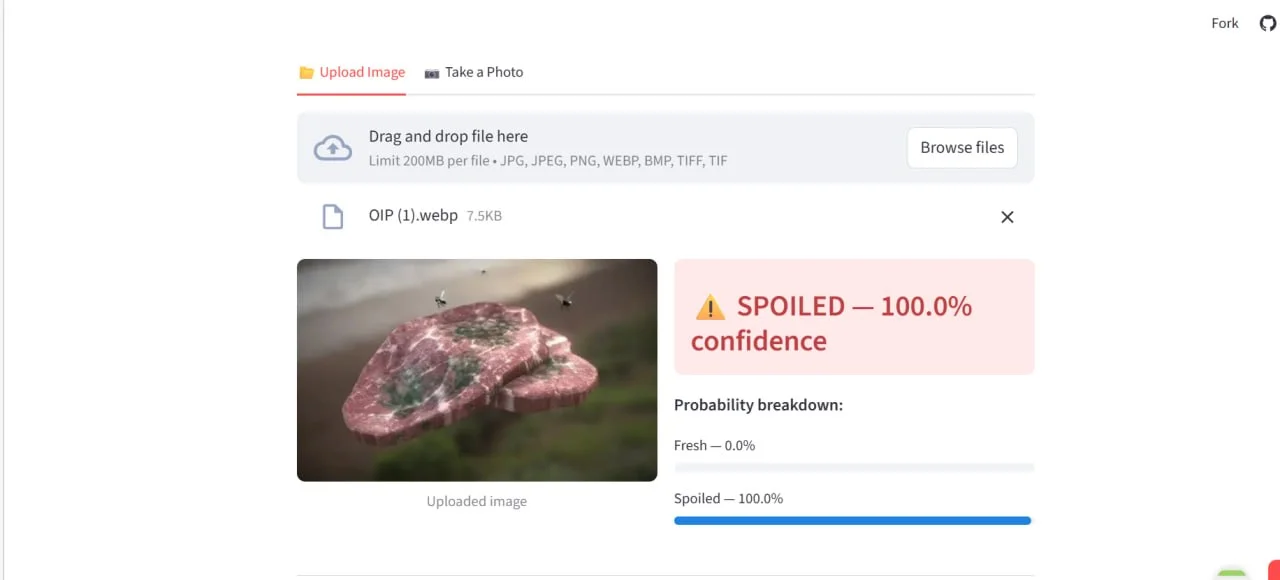
Spoiled, 100.0% confidence | Visible mould growth
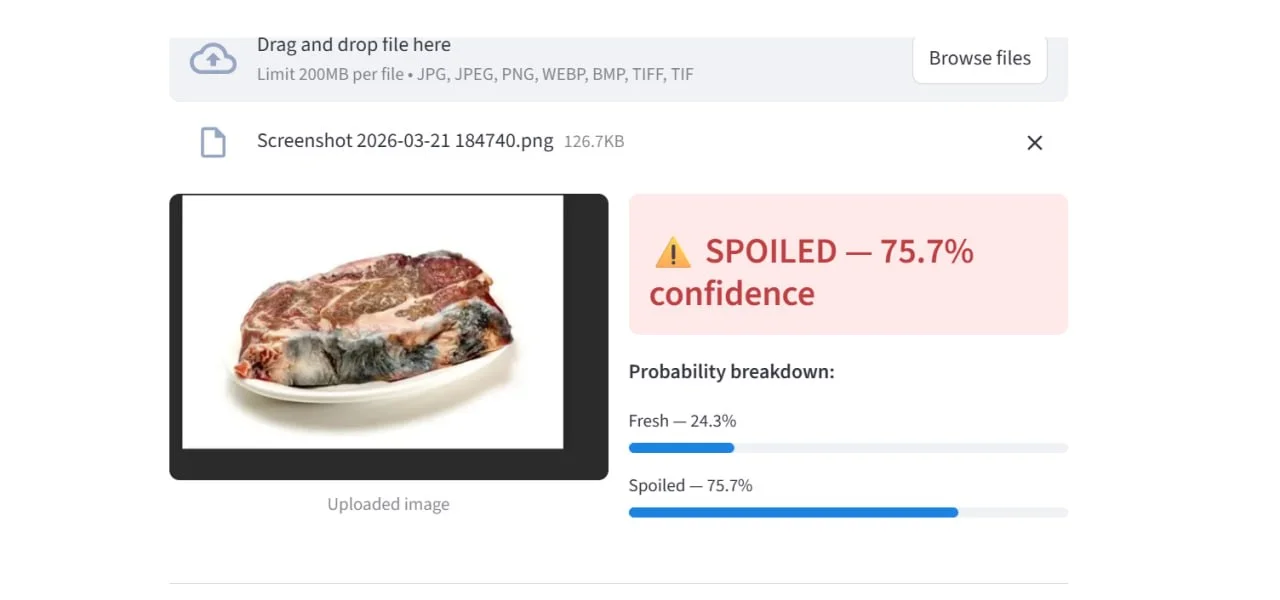
Spoiled, 75.7% confidence | Early-stage discolouration
Project Pipeline Summary
| Phase | Script | Purpose |
|---|---|---|
| Phase 1 | phase1_data_prep.py |
Data quality gate: CSV validation, missing files, class counts, augmentation sanity |
| Phase 2 | phase2_training.py |
Training all three architectures; saves .keras checkpoints & eval JSON
|
| Phase 3 | phase3_evaluation.py |
Model selection (highest macro F1); confusion matrix & ROC curve plots |
| Phase 3 | phase3_inference.py |
CLI inference on single images or folders; shared predict() function for
both apps |
| Phase 3 | phase3_holdout.py |
Evaluation on independently sourced holdout set (46 images → 100% accuracy) |
| Phase 4 | app.py |
Streamlit web app deployed on Streamlit Cloud, the primary user-facing product |
| Phase 4 | app_desktop.py |
Tkinter offline desktop GUI with optional OpenCV camera capture |